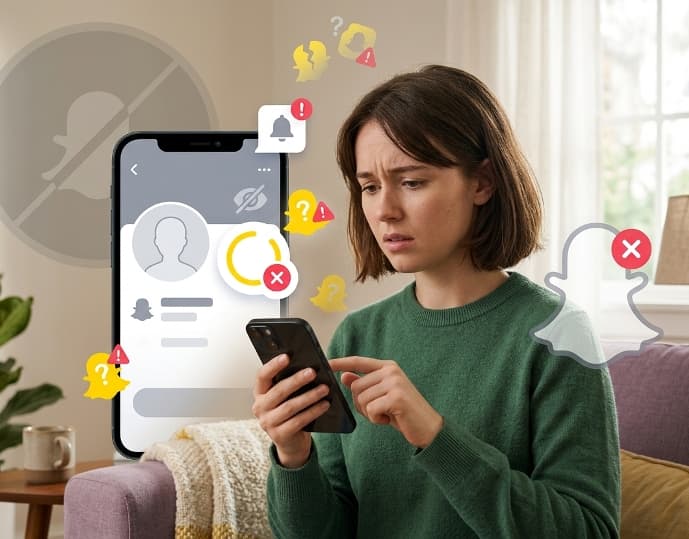
If your Public Profile button has disappeared or never showed up on Snapchat, the most common reasons are your age, an unset birthday, a past Community Guidelines violation, or a temporary app glitch.
Snapchat does not give every account a Public Profile automatically, so the missing button is often expected behavior rather than a bug.
You Must Be At Least 16 Years Old
The single most common reason a Public Profile is missing is age. Snapchat’s Help Center states that Snapchatters aged 16 and older receive a Public Profile by default, though users can choose whether to use it.
If your account is registered to someone younger than 16, the Public Profile option simply will not appear, no matter how many times you restart the app or update it.
Age requirements can also vary by country. Local laws in some regions set a different minimum age for Public Profiles than Snapchat’s global default, so a birthday that qualifies in one country may not qualify in another.
Your Birthday is Not Set in Snapchat Settings
Even if you meet the age requirement, Snapchat cannot show your Public Profile if it does not know your birthday.
The app relies on the birthday stored in your account settings to confirm eligibility, and an incomplete or missing birthday field is treated the same as not meeting the age requirement.
To fix this, open Snapchat settings, find the birthday field, and enter your correct date of birth. If it was already filled in but incorrectly, correct it and give the app a few minutes to update your account status.
Explore Also: Snapchat You May Know vs Mutual Friends
A Past Community Guidelines Violation Can Remove Eligibility
Snapchat can withhold or remove a Public Profile from accounts that have violated its Community Guidelines in the past. This applies even if the violation happened a long time ago and even if the content in question has already been deleted.
Common causes include posting content that breaks nudity, harassment, or safety rules, or having a history of reports from other users.
There is no in app tool that tells you exactly which violation caused the restriction, so if you suspect this is the issue, reviewing and cleaning up your posted content is the most direct next step.
App Glitches And Outdated Versions Cause Temporary Issues
Public Profiles sometimes disappear and reappear without any change to the account itself. This pattern points to a client side glitch rather than an eligibility problem, and it tends to clear up with a few basic troubleshooting steps.
- Update Snapchat to the latest version available in your app store, since outdated builds can misread profile settings.
- Log out of your account and log back in, which forces the app to refresh your profile status from Snapchat’s servers.
- Check the same account on a different device or ask a friend to search for your profile, which helps confirm whether the issue is device specific or account wide.
- Restart your phone after updating, since a stale app cache can hold onto an old profile state.
If the profile keeps flickering on and off after these steps, the issue is on Snapchat’s end, and contacting Snapchat Support directly is the fastest way to get it resolved.
Business Profiles Follow A Different Setup Process
If you were expecting a Business Public Profile rather than a personal one, the setup path is different.
Snapchat’s Help Center for Business explains that Business Profiles are created and managed inside Ads Manager, not through the standard app settings menu.
Snapchat does not generate a Business Profile automatically for a company; someone on the business side has to create one directly in Ads Manager.
If you already run an active Business Profile and it is not showing to customers, the fix usually starts with confirming that the profile is marked active and complete inside Ads Manager, not with adjusting personal account settings.
Frequently Asked Questions
Does everyone on Snapchat get a Public Profile?
No. Snapchat’s Help Center confirms that not every account comes with a Public Profile, since eligibility depends on age and account standing.
Why did my Public Profile disappear after it used to work?
A Public Profile that worked before and then vanished is usually a temporary glitch tied to an outdated app version or a login issue, rather than a permanent loss of eligibility. Updating the app and logging back in resolves most of these cases.
Can I get my Public Profile back after a violation?
Snapchat does not publish a fixed timeline for restoring eligibility after a Community Guidelines violation. Removing any problematic content and avoiding further violations is the most practical step you can take.
How do I set up a Business Public Profile if I don’t see the option?
Business Public Profiles are created through Snapchat Ads Manager rather than the app’s regular settings menu, so you will not find that option on a personal account screen.
Can I preview what my Public Profile looks like to others?
Yes. Inside your Public Profile settings, tapping Preview Your Profile shows how your profile currently appears to other Snapchatters.
Who do I contact if none of these fixes work?
Snapchat’s official Help Center is the correct channel for an account specific review, since it can check server side status that is not visible from within the app.
Conclusion
A missing Public Profile on Snapchat almost always comes down to one of four things: your age, an unset birthday, a Community Guidelines issue, or a temporary app glitch.
Start with the simple checks first, confirming your birthday and updating the app, before assuming something more serious is wrong with your account.
If the profile still will not appear after working through each cause, Snapchat Support is the only source that can confirm what is happening on their end.